

Give people a branded place to find the right content.
Bring campaign assets, brand guidance and supporting documents into a destination designed for the people who need them—from employees and regional teams to partners and dealers.


Haglöfs
Haglöfs used Pickit Brand and Boards to bring seasonal campaign assets and guidance into a shared marketing toolbox for employees and partners.
Read the Haglöfs story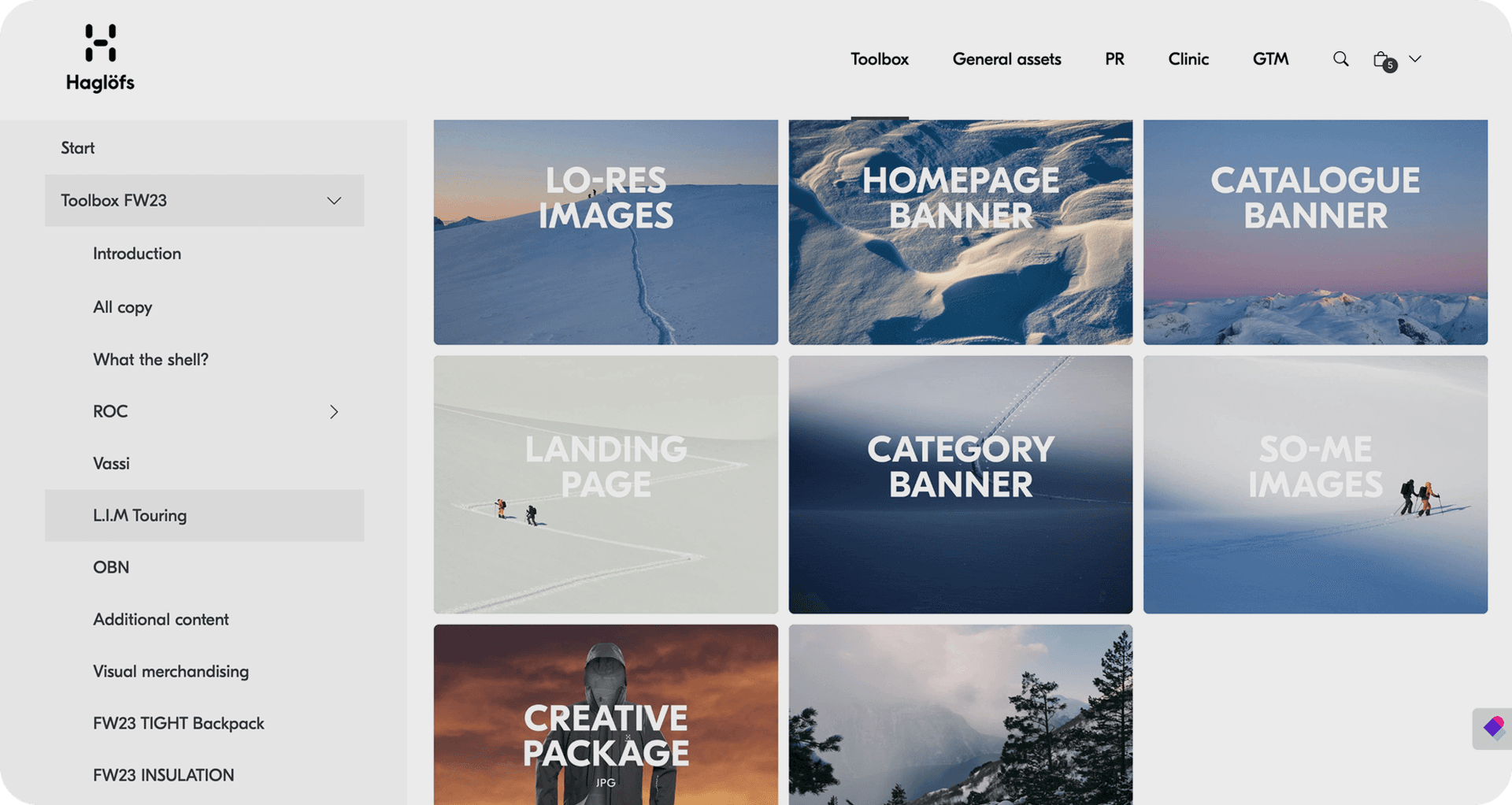
A useful destination for your audience.
Make the campaign useful to its audience.
Give partners the campaign files and the instructions for using them in one toolkit. In Pickit, this toolkit is called a Board.
A focused campaign toolkit
A Board combines a campaign introduction, guidance and selected assets. Recipients can understand the campaign and download the material they need from the same place.
A reference people return to
For guidance that spans campaigns, Pickit Brand provides a web-based reference for your identity, guidelines and resources.
Put the explanation beside the assets.
A focused library can be enough when people already know the material they need. Use a curated toolkit when the campaign also needs an introduction, guidance and a clear sequence.
More than a folder of files
Boards can combine text, images, video, files and collections. Use the introduction to explain the campaign and the accompanying material to support the work.
Maintain what your audience sees
A content owner reviews the selected assets and updates the campaign introduction when products or messages change. Check the result using the recipient’s access. Files already downloaded remain separate.
Reach the intended people.
Plan the audience alongside the toolkit. A useful destination combines a clear experience with access that works for the people expected to use it.
Choose the Board audience
Boards can be shared with all users, administrators or selected users. Check the material those recipients can reach as well as the destination itself.
Introduce the toolkit and the first task
Show partners how to find the campaign, read its guidance and download the intended material. Test the recipient experience before launch, and provide clear contacts for content questions and access help.
Make the experience recognizable.
Use your organization's logo, colors and backgrounds to make the experience familiar.
Your identity in Pickit
Add your logo, brand colors, favicon and backgrounds through the account branding settings.
A clear sign-in experience
Add a welcome message and choose the logo placement on the sign-in page. Sign-in methods and access are managed separately.

A few useful answers.
What can a brand portal contain?
Pickit Brand brings brand information, guidelines and assets together. Boards can combine text, images, files, collections and video for a specific campaign or audience.
How is a portal different from a share link?
A share link suits a particular delivery. A brand portal gives a returning audience a structured place to discover content and understand how to use it.
Who maintains the content?
Your content owners maintain the library and the destination. Choose responsibility for each toolkit as part of its setup, so people know where to request changes.
Give your audience a useful place to start.
Explore a brand or campaign destination using the material your people need.