
1. Open your invitation
When you're invited as a Contributor, you'll receive an email from noreply@pickit.com with a direct link to the collection you've been invited to.
Click the link in the email to get started.
2. Create your Pickit account or log in
If you don't already have a Pickit account, you'll be asked to create one using the same email address that your invitation was sent to.
If you already have an account with that email address, simply log in with your existing credentials.
4. Start contributing
Open your assigned collection to upload your content.
Any content you contribute is added directly to the collection, making it available for the organization to manage and use according to their existing Pickit setup.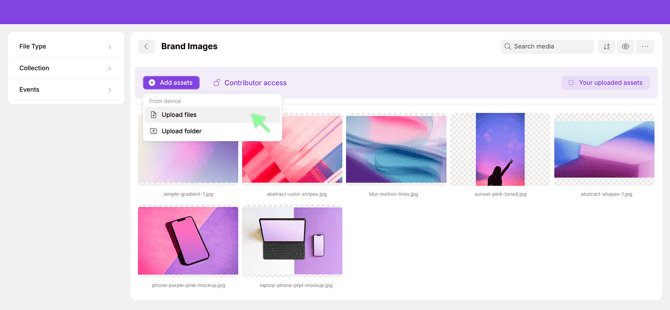
Can't find your invitation email?
First, check your spam or junk folder and other inbox categories, such as Promotions. You can also search your inbox for an email from noreply@pickit.com.
Still can't find it? You don't need the email to get started.
Go directly to app.pickit.com and create an account or log in using the same email address that was invited. Once you're logged in, you'll see a message letting you know that you've been invited to a collection and can access the invitation from there.